Add one schedule
Upload a JPG, PNG, WebP, HEIC, or PDF schedule, or import one calendar: Google Calendar, an Apple or iCal link, or an .ics file.
SCHEDULE RESCUE
Add a schedule photo or one calendar you already use. See your week as a read-only preview before you decide whether to start the 14-day trial.
See your week first · Card required, no charge today
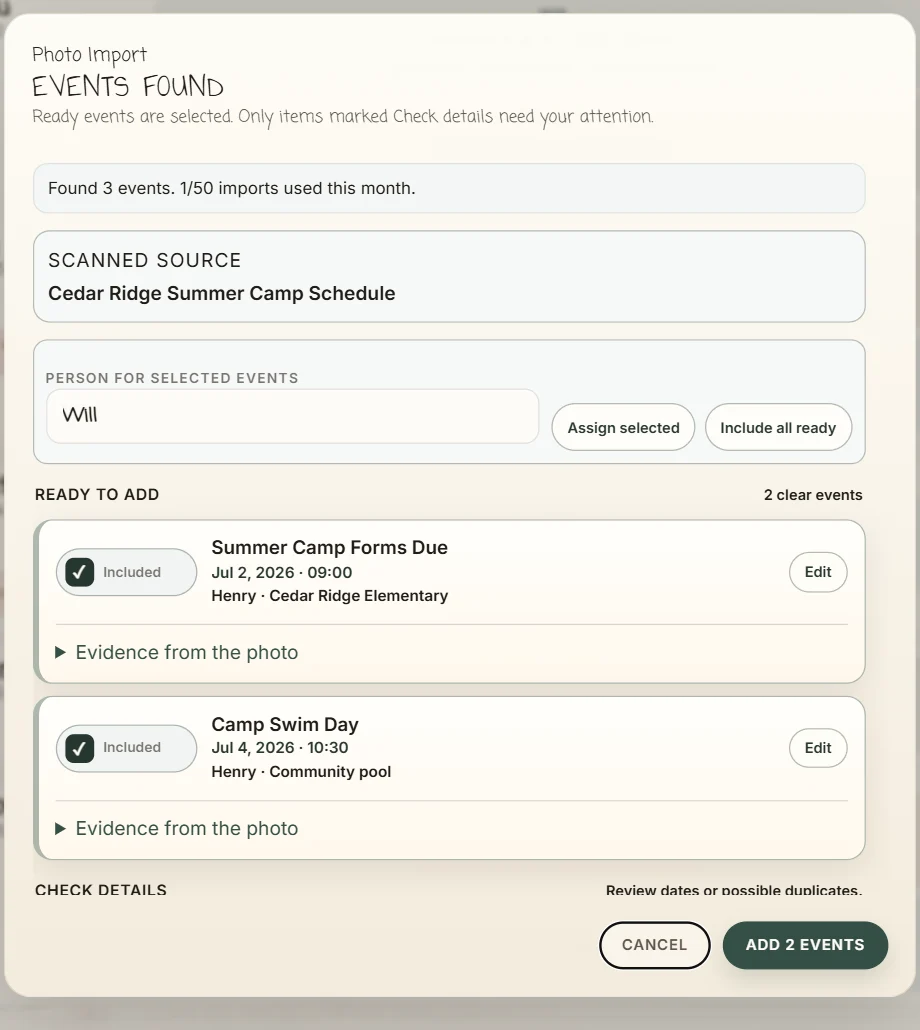
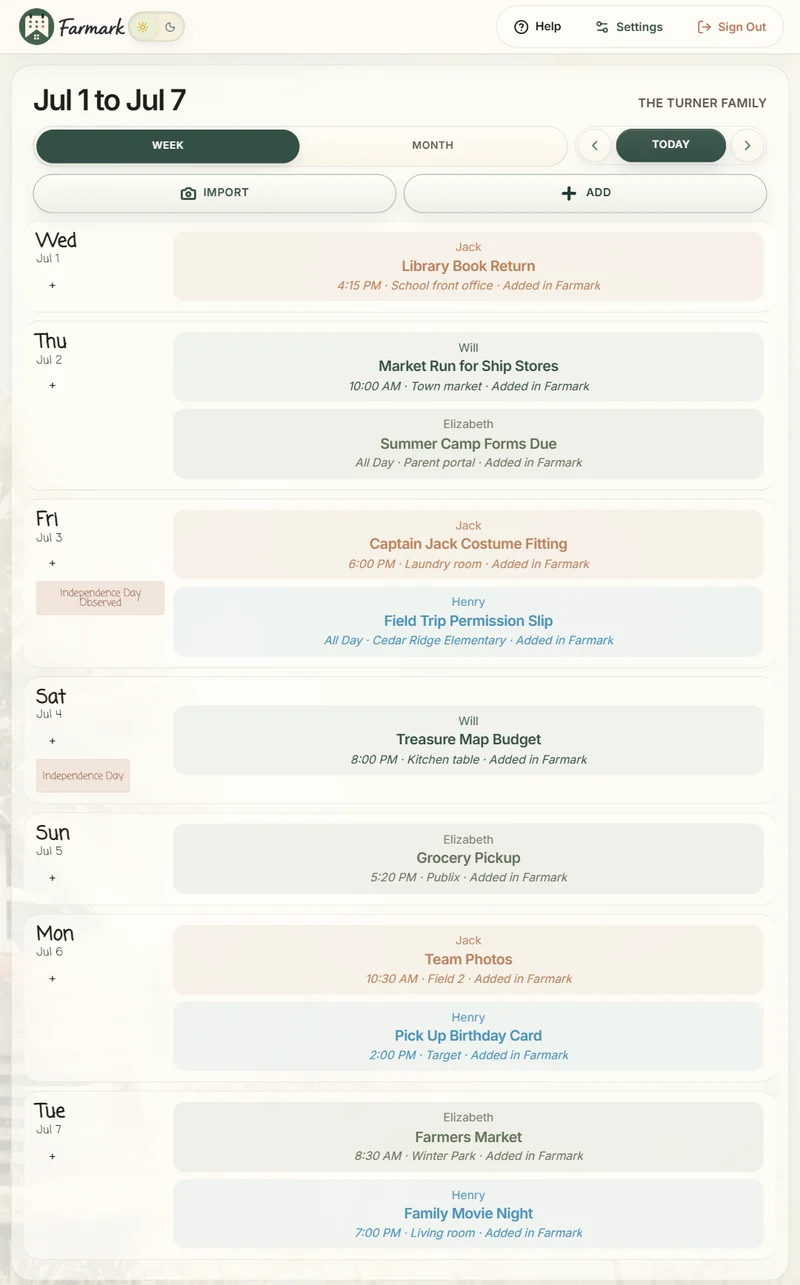
Example Farmark screens. Check the details first, then see your week.
Check events before they are added · See your week before you start · No ads or sale of family data
HOW IT WORKS
Finish the job you came for without taking a tour of every Farmark feature.
Upload a JPG, PNG, WebP, HEIC, or PDF schedule, or import one calendar: Google Calendar, an Apple or iCal link, or an .ics file.
With a photo, check uncertain events and choose who they belong to before anything is added.
Look over your read-only preview and download an .ics copy. Start the 14-day trial to edit and keep it syncing.
“Adding sports flyers and schedules is so easy with Photo Import.”
Amber · Farmark customer
WHAT YOU GET
Add one schedule photo or calendar. See your week as a read-only preview before you start the 14-day trial.
Add one schedule photo or calendar. See your week as a read-only preview. Then decide whether to start the 14-day trial: card required, no charge today.
Before any purchase, billing shows the exact price and any eligible trial.
Add one schedule photo or calendar, check it, see your week, and download an .ics copy. Farmark keeps the preview for 30 days.
Keep your calendars syncing, add and edit events, share with your family, and use wall and tablet displays.
PRIVACY
Farmark does not sell your family data or use it for advertising. If you leave a review unfinished, a temporary encrypted draft is kept for up to 7 days.
Read the full Privacy Policy for the details.
COMMON QUESTIONS
Before your trial starts, you add one: a photo or a calendar. After the trial starts, you can add more photos and calendars.
Yes, to start the 14-day trial. Card required, no charge today. You can add one schedule and see your week before you start the trial.
Farmark tells you it could not find clear events or could not read the source. Try a brighter, straighter photo with the whole page in view, or import a calendar instead. Nothing is charged.
Yes, with a photo. You can edit an event or untick it to leave it out. Events that already happened are left unticked.
Farmark does not save your original photo or the AI’s raw answer. If you leave a review unfinished, Farmark keeps a temporary encrypted draft of the events it found, not the photo, for up to 7 days. The 7 days start over while you keep the review open. See the Privacy Policy for how photos are handled.
Keep using your current Farmark account. Family Setup is for households new to Farmark, and Farmark tells you if this household has already used it.
See your week first · Card required, no charge today